
Overview
The Max Usage Discount feature allows administrators to control how discount codes are used across events by applying both global and event-level limits. This ensures discounts are applied appropriately while preventing overuse through real-time validation and tracking.
- Key Capabilities:
- Global usage limits across all events
- Per-event usage limits
- Event inclusion and exclusion rules
- Real-time usage tracking and validation
- Automatic usage restoration when registrations are canceled or expire
Before You Begin
- Define usage limits based on event capacity
- Determine which events should be included or excluded
- Identify any rules like discount code to reuse across events
Configuration
Step 1: Access Discounts
- Navigate to: Config → Accounting → Discounts
- Create or edit a discount as you normally would.
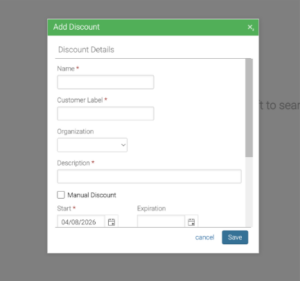
Step 2: Define Optional Discount Rules – examples
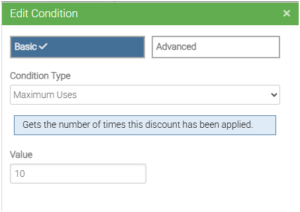
Maximum Uses (Global Limit)
Defines the total number of times the discount can be used across all events.
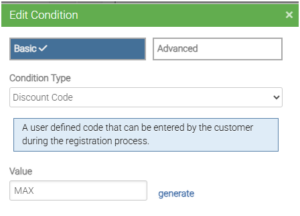
Discount Code
Allows customers to enter a code during checkout to apply the discount.
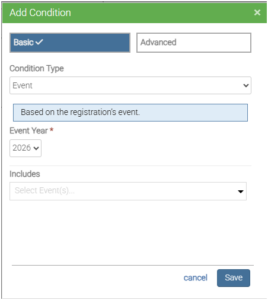
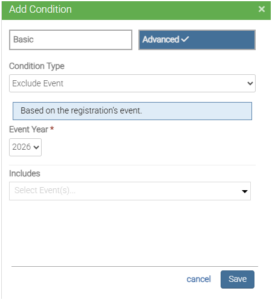
Event
Restrict which event(s) the discount can be applied to.
Exclude Event
Restrict which event(s) the discount can’t be applied to.
Step 3: Configure Event Limits
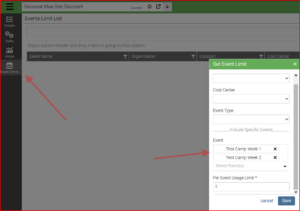
A new Event Limits tab allows you to control usage at the event level.
- Select specific events to include
- Optionally filter by cost center or event type
- Set a Per Event Usage Limit
Step 4: Review and Manage Limits
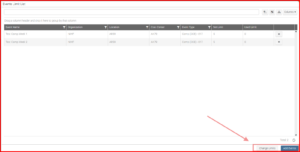
- Monitor discount usage per event
- Edit limits at any time
- Add additional events as needed
How Usage Tracking Works
- Discount usage is validated in real time during registration
- Once a limit is reached, the discount can no longer be applied unless more is added
- If a registration is canceled or expires, the usage count is automatically restored
- Updating discount usage event limit below the used limits is restricted
- Example, you have used it 3 times for event, you are not allowed to edit max use below 3
Best Practices
- Set global limits the same total as the total of all event limits to avoid conflicts